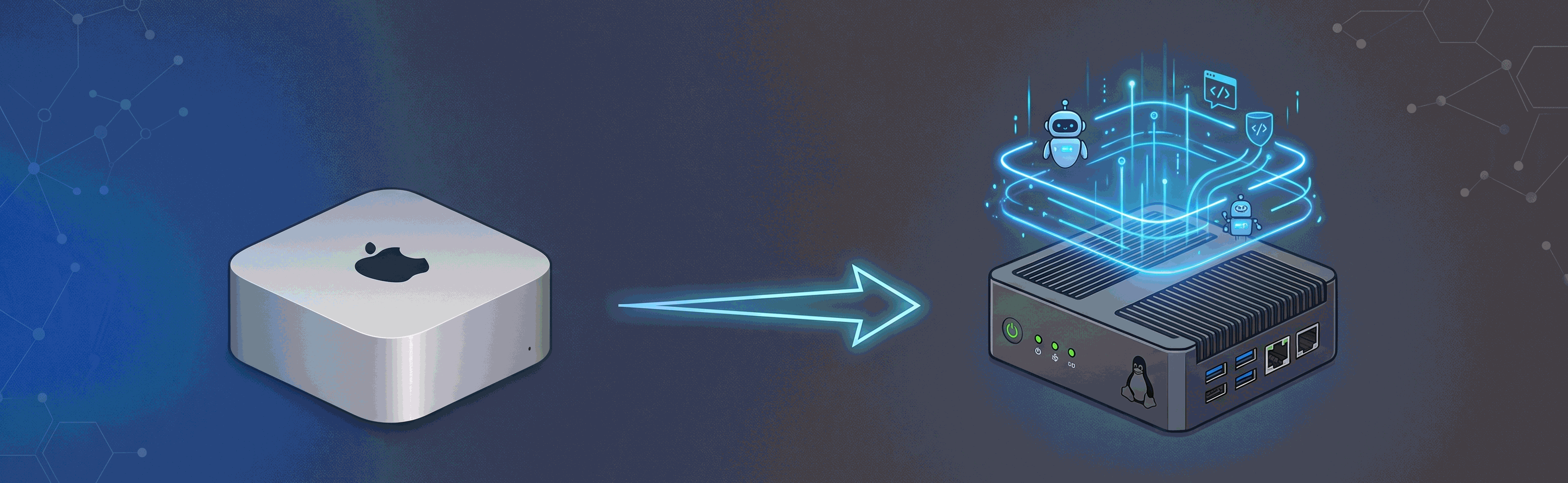
Why Your AI Agent Sandbox Needs to Be a Headless Linux Server, Not a Mac Mini
If you are experimenting with Artificial Intelligence (AI) agents, vibe-coding, or running autonomous tools like OpenClaw or Hermes, you need a dedicated computer. Running autonomous scripts on your main machine is risky. A rogue agent can delete your personal files, download malicious code, or consume all your system memory. To keep your primary workspace safe, you need a physical sandbox.
While many people choose a sleek Apple Silicon Mac Mini for their secondary computer, a headless Linux server running on a budget x86-64 mini Personal Computer (PC) or a repurposed older machine is a far better choice. For non-developers experimenting with AI agents, a headless Linux server offers a better user experience for agent runtimes, more cost-effective hardware scaling, native container performance, and safer risk isolation. This post compares these two setups across user interface design, safety, hardware costs, and power efficiency to help you choose the best sandbox.
The User Interface: Your AI Agent Prefers the Command Line
When choosing a computer, humans prioritize a beautiful Graphical User Interface (GUI). Apple Silicon Mac Minis excel here, providing a smooth macOS desktop. However, your AI agent is the actual user of this sandbox, and AI agents do not need a desktop.
In fact, graphical interfaces are a poor user interface for AI models. Asking a Large Language Model (LLM) to navigate a screen using clicks, coordinate matching, and window management is slow and prone to errors.
For an AI agent, the Command-Line Interface (CLI) is the ultimate user interface. The agent can run text commands directly and read plain text output. A headless Linux server provides a native, text-only workspace out of the box. This design allows your AI agent to interact with the operating system efficiently using simple shell commands.
Sandbox Security: Keeping Your Main Files Safe
Autonomous agents write and execute their own code. If you run these tools on your primary machine, you expose your entire digital life. A bug in an agent script can run a destructive command, or a hallucinated script can delete directories.
Setting up a separate, headless Linux server creates a physical boundary. You can connect to it from your main laptop using Secure Shell (SSH). By running your experiments on this dedicated node, you isolate the risks. If an agent misbehaves, it only affects the sandbox machine, leaving your primary computer safe.
Hardware Economics: Cost-Effective Scaling for Agent Runtimes
Running Large Language Models (LLMs) locally is a niche use case. Local neural network execution requires massive, expensive GPUs or unified memory pools to run models efficiently. If your goal is to run LLMs locally, the Apple Silicon Mac Mini’s unified memory architecture is highly efficient.
However, most non-developers and vibe-coders do not run LLMs locally. They use cloud Application Programming Interfaces (APIs) like OpenAI, Anthropic, or Gemini to power their agents.
Because the heavy reasoning is offloaded to the cloud, the local sandbox machine does not need to run local models. Instead, it only runs the agent execution runtime. This runtime handles API calls, orchestrates tool use, processes files, manages local databases, and runs code execution sandboxes.
To run these runtimes, you do not need expensive unified memory. You simply need:
- A solid multi-core Central Processing Unit (CPU) to handle parallel tasks.
- A decent amount of standard Random Access Memory (RAM).
- A reliable Solid State Drive (SSD) for files and caches.
While standard aftermarket memory and storage prices have increased due to supply constraints, scaling an x86 mini-PC or a repurposed older PC remains far more cost-effective than buying a Mac Mini. To get a Mac Mini with decent specifications, you must pay Apple’s high hardware markup at purchase because the components are soldered down. With an x86-64 server, you can buy budget-friendly configurations or reuse older hardware, keeping your setup costs low.
Containerization: Native Docker Performance
Many AI agent frameworks use Docker containers to execute code safely. Docker isolates the agent code from the host operating system.
The performance of these containers depends on the host operating system:
- Headless Linux: Docker runs natively on Linux using kernel namespaces and control groups. This native execution results in virtually zero virtualization overhead.
- macOS: Docker cannot run natively on macOS. It requires a Linux Virtual Machine (VM) running in the background. This virtualization layer creates filesystem Input/Output (I/O) bottlenecks. Even with filesystem optimizations like VirtioFS, disk operations on macOS remain about three times slower than native Linux execution.
Data Comparison: Headless Linux vs. Mac Mini
The following table summarizes the technical and practical differences between a headless Linux server and an Apple Silicon Mac Mini:
| Feature | Headless Linux Server (x86-64 Mini-PC / Repurposed PC) | Apple Silicon Mac Mini |
|---|---|---|
| Target User Interface | Command-Line Interface (CLI) - Native for AI agents | Graphical User Interface (GUI) - Built for humans |
| Hardware Scaling & Upgrades | High (uses standard upgradeable RAM and SSDs, or repurposed hardware) | Soldered at purchase (non-upgradeable, high upgrade premium) |
| Docker Performance | Native execution with zero filesystem overhead | Virtualized execution (3x slower filesystem I/O operations) |
| Risk Isolation | High (physical sandbox separate from main files) | High (but expensive to dedicate a Mac) |
| Idle Power Consumption | 10 Watts (W) to 15W | 3W to 4W |
| Active Power Consumption | 75W to 80W (some exceed 100W under load) | 40W to 45W |
| Setup Complexity | Medium (requires SSH and firewall configuration) | Low (plug-and-play setup) |
Conclusion: Putting it into Practice
In my own daily workflow, I put this remote architecture into practice. I use a MacBook and an iPhone as my daily drivers. However, my AI agents run on two headless Ubuntu servers, both of which are repurposed PCs over four years old. The entire setup is connected via a Tailscale Virtual Private Network (VPN), creating a secure, private mesh network. This allows me to connect to my AI agent workloads on these Linux boxes from anywhere in the world. This approach combines the premium hardware and refined human interface of my Apple devices with the native command-line power and low cost of dedicated Linux sandboxes.
For vibe-coders and AI experimenters, a headless Linux server running on a budget x86-64 mini-PC or an older PC is the superior choice. It gives your AI agents a native command-line playground where they can run wild without endangering your primary workspace or your wallet.