Projects
I work with generative AI to understand its product implications firsthand – what works, what breaks, and where the real value is. For my professional background, see About Me.
FinKit: Privacy-First Personal Finance (2026)
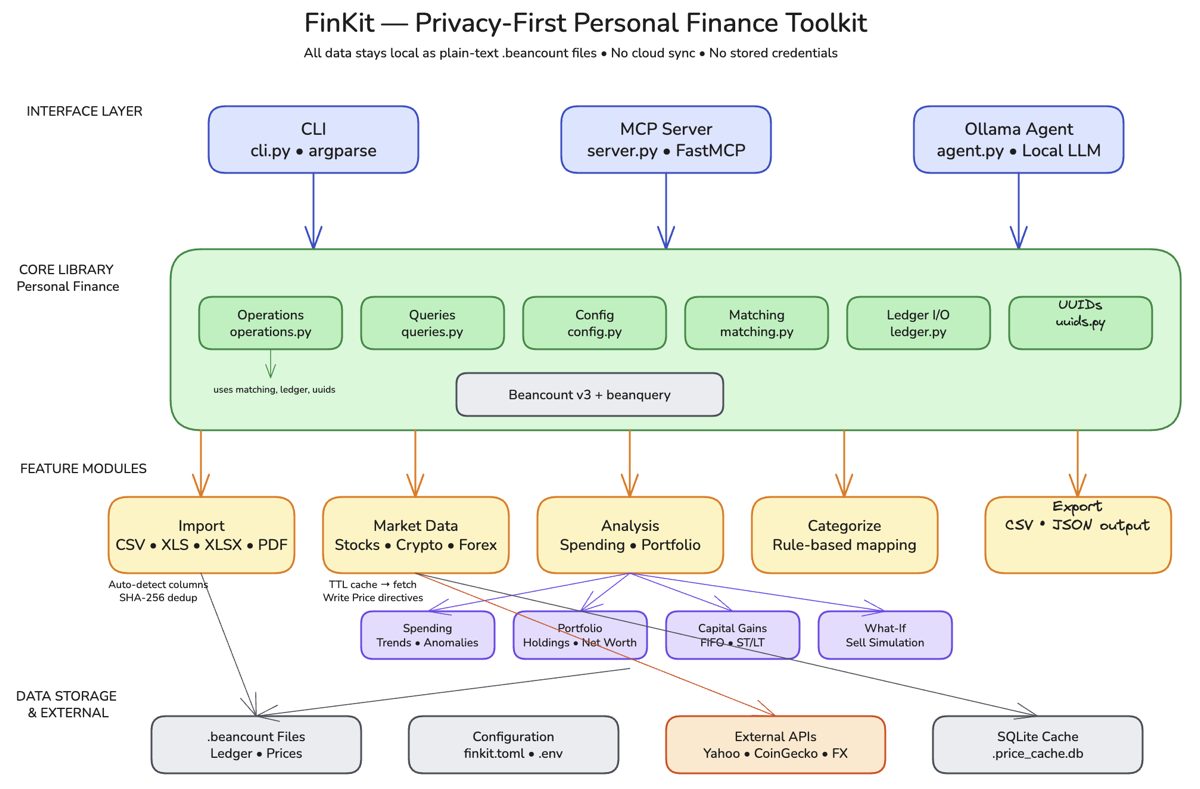
The Problem: Every personal finance app wants full access to your bank accounts. Mint, Copilot, Monarch: they all require linking credentials through Plaid or similar aggregators. I wanted a tool that could analyze my spending, track trends, and surface insights without my financial data ever leaving my machine.
How I Built It: I built FinKit as an MCP (Model Context Protocol) server, a set of composable tools that any AI client (Claude Desktop, Cursor, etc.) can call on demand. I used Claude Code to scaffold the server architecture and iterate on the 15 tool definitions through conversation: each tool does one thing well (parse a bank statement, categorize a transaction, compute a monthly trend). Cursor helped debug the CSV parsing edge cases across different bank export formats.
The Product Decisions: The key choice was building 15 small, composable MCP tools instead of a monolithic app with a dashboard. A traditional personal finance app would have taken weeks to build and months to make useful, and would have replicated what Mint already does, minus the network effects. The MCP approach means I can ask any question about my finances in natural language through Claude, and the right combination of tools gets called automatically. I scoped out a web UI entirely. My target user (me) already lives in Claude Desktop, and a GUI would have tripled the build time for zero additional value. I also chose CSV file import over any API integration, because the moment you connect to a bank API, you’ve lost the privacy guarantee that makes this worth building.
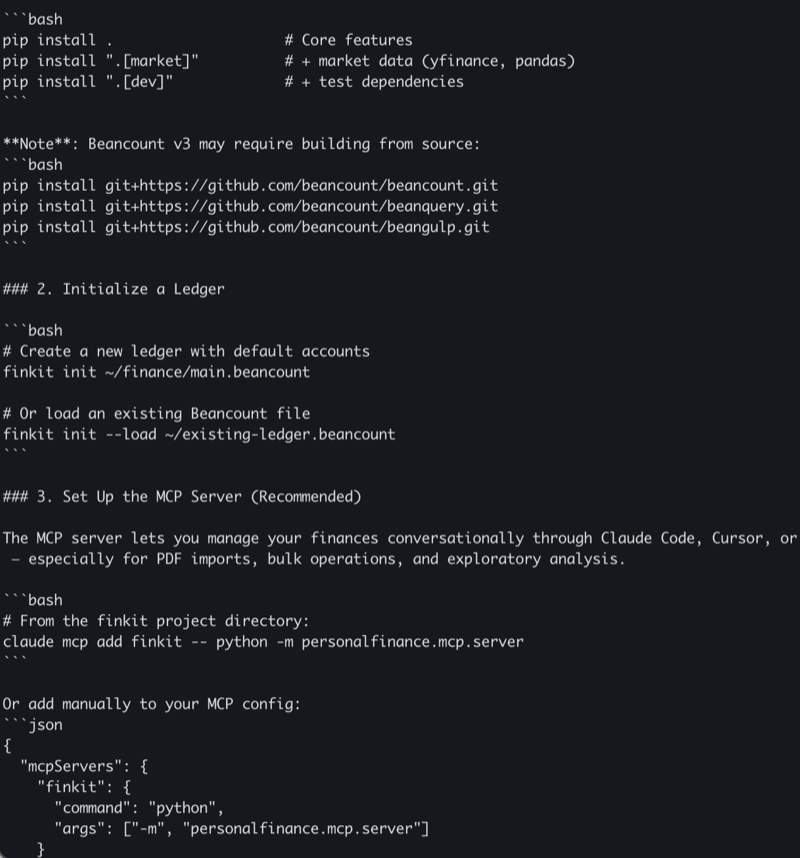
Result: A working MCP server with 15 tools covering statement parsing, transaction categorization, spending trends, and budget tracking. All processing happens locally. No data leaves my machine, no accounts to link, no subscriptions to pay. GitHub
Readpile: Composable Media Toolkit (2026)
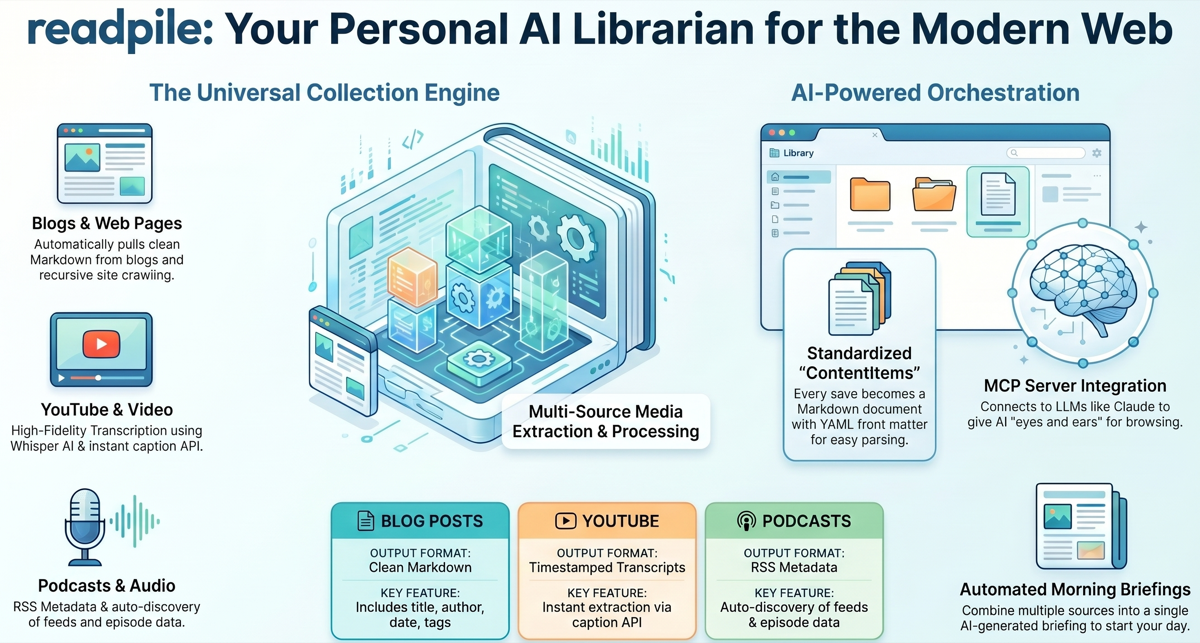
The Problem: I consume content across too many platforms – YouTube, podcasts, blogs, documentation sites, newsletters. Bookmarking doesn’t scale, and nothing lets me search across all of it. I wanted a personal, searchable library where I could collect articles, transcribe videos, crawl entire blogs, and revisit anything on my own terms.
How I Built It: I built Readpile as a composable CLI toolkit and MCP server using Claude Code. Each command does one thing well: scrape extracts articles as clean Markdown, transcribe converts audio/video to text via Whisper, crawl discovers content URLs across entire sites, and archive saves everything to disk with structured YAML front matter. The MCP server exposes these same tools to AI clients like Claude, so I can ask questions about my saved content directly. Playwright handles JavaScript-heavy pages, and yt-dlp provides fallback YouTube support.
The Product Decisions: The key choice was building composable CLI tools instead of a monolithic app. Each tool works standalone or chains together – crawl a site, batch-scrape the results, archive everything. This Unix-philosophy approach meant I could start using it immediately, not after building a full UI. Adding MCP server support was the force multiplier: instead of just storing content, any AI assistant can now read, search, and analyze my entire library. I also chose local Markdown files over a database – every archived item is a Markdown file with metadata I can grep, version, and own permanently.
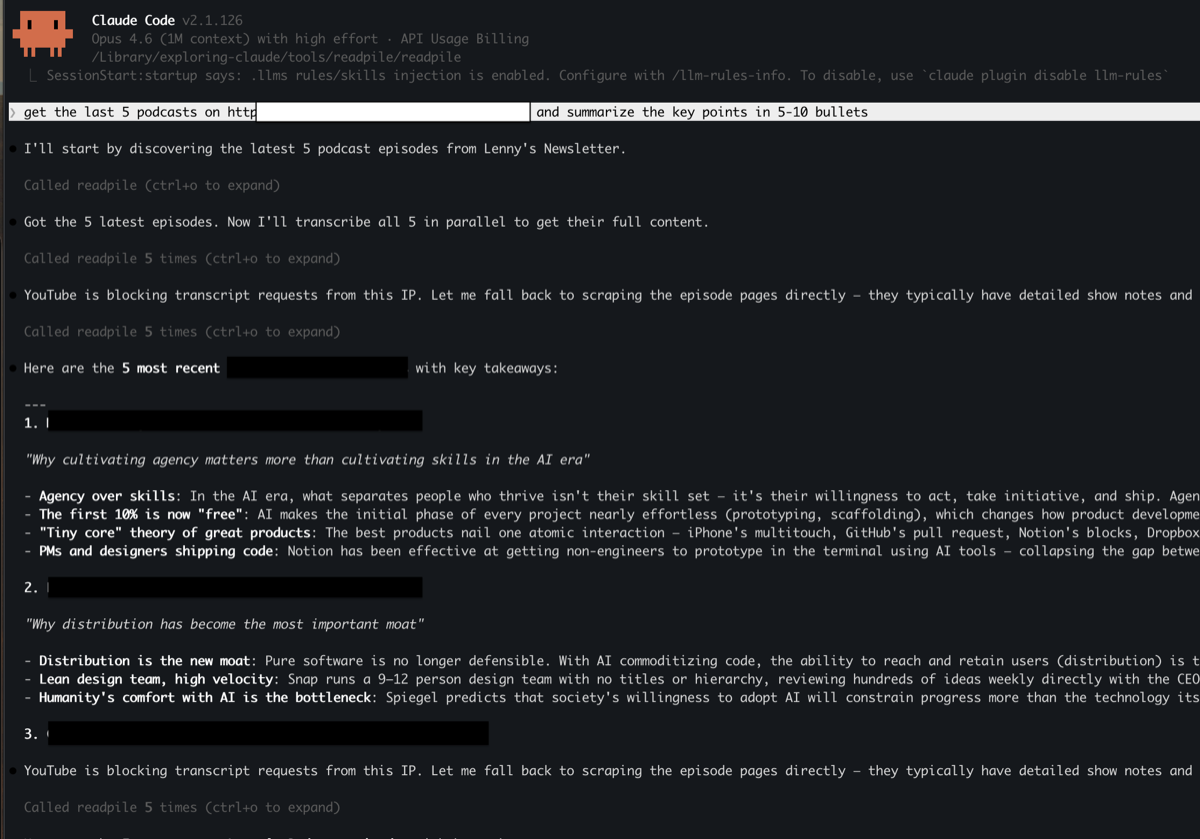
Result: A working CLI toolkit and MCP server that scrapes articles, transcribes audio/video, crawls sites, and archives everything as searchable Markdown. Also available as a Telegram bot for collecting content on the go. GitHub
What’s Next: AI Movie Recommendations (2025)
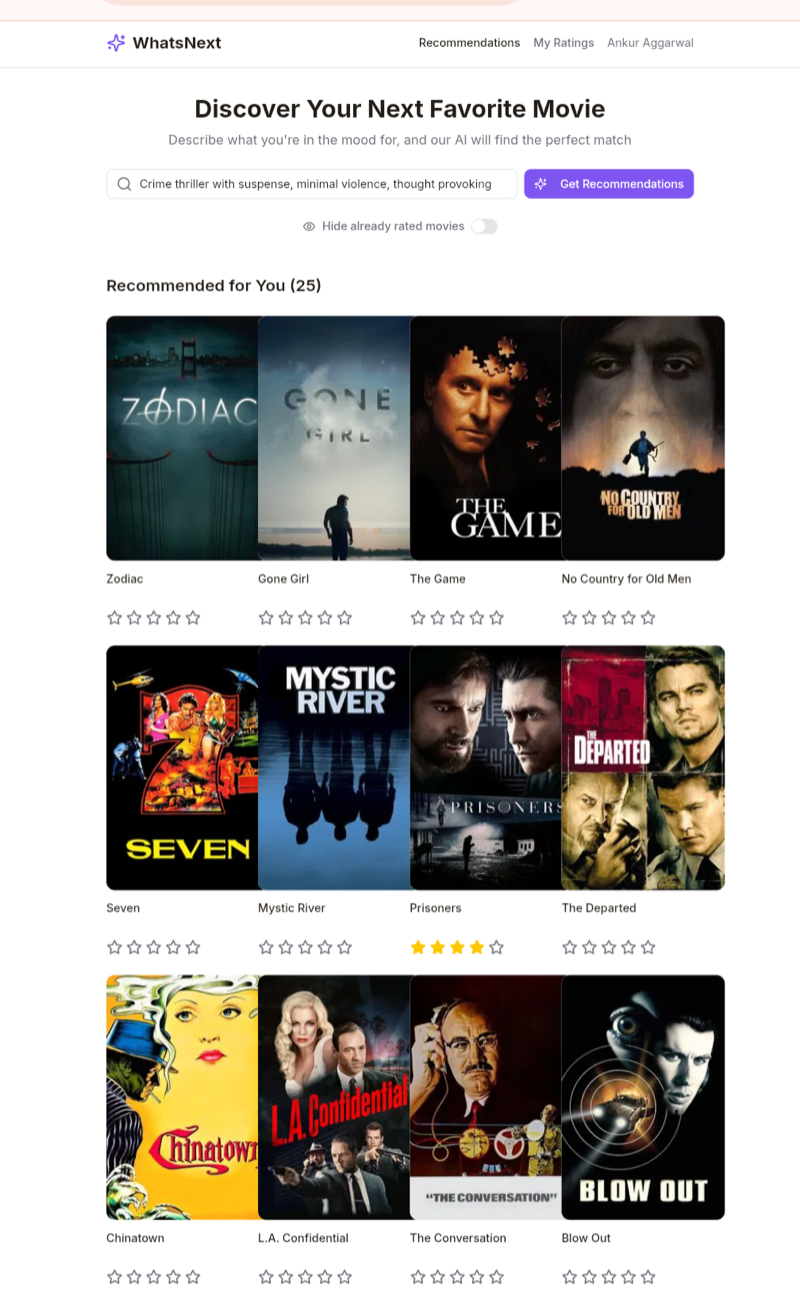
The Problem: Choosing what to watch is surprisingly hard. Recommendation algorithms optimize for engagement, not taste. I wanted recommendations based on what I actually liked, explained in plain language – not “because you watched X” but a real reason I’d agree with.
How I Built It: I built What’s Next entirely with Manus, not Claude Code, not Cursor, specifically to test how a different AI dev tool handles full-stack generation end-to-end. The initial version (React frontend, Node.js backend, database, auth) was generated in minutes. But the UX took multiple turns of collecting and synthesizing user feedback. The bottleneck wasn’t building; it was knowing what to build. Wrote about this in The Shifting Bottleneck.
The Product Decisions: Using Manus end-to-end was a deliberate product decision, not a technical one. I wanted to understand what it feels like to ship with an AI tool that generates the full stack versus tools like Cursor or Claude Code where you co-author. The tradeoff: faster initial output, but less control over architecture decisions that matter later.
Result: A working movie recommendation app where users sign in, rate movies, and get AI-powered suggestions based on their actual preferences. Live at whatsnext.manus.space.
Interview Feedback Agent (2025)
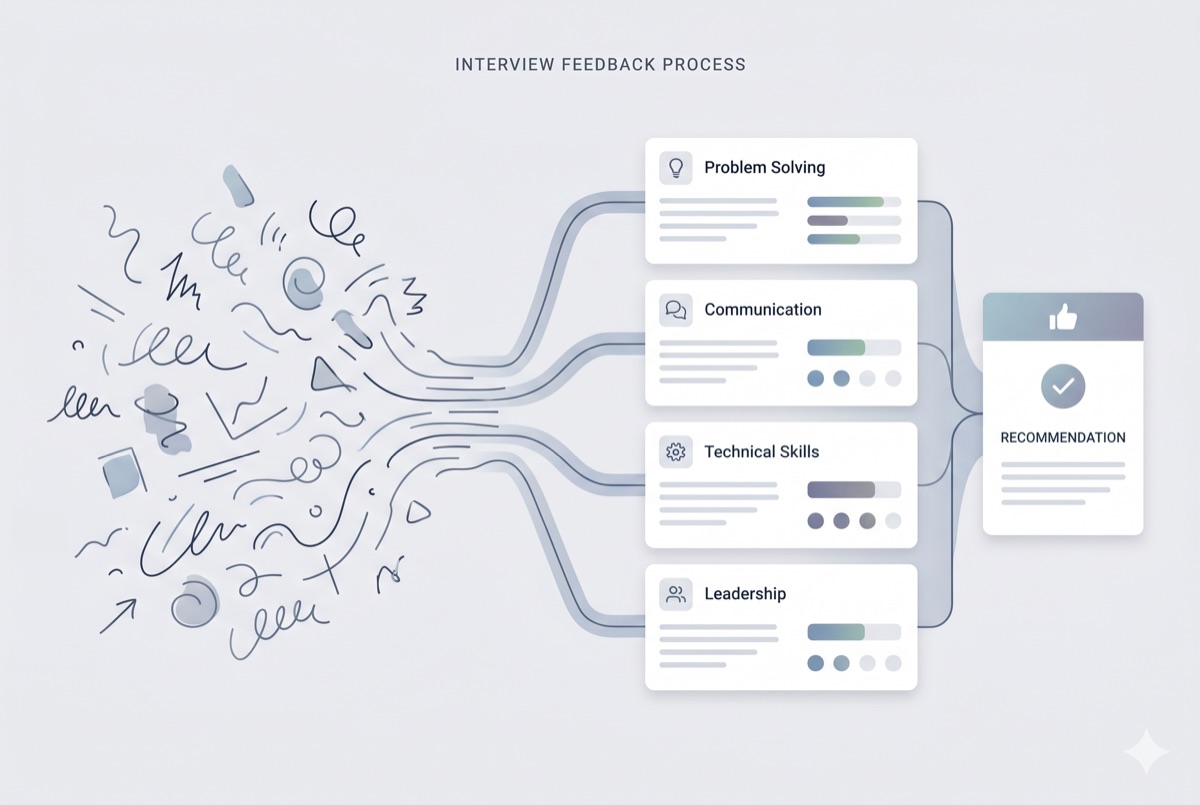
The Problem: Interviewers at Meta spend too long writing feedback after every session, and quality varies widely across hiring panels. Inconsistent feedback leads to worse hiring decisions – the signal gets lost in how it’s written, not what was observed.
How I Built It: I used Meta’s internal agent platform with prompt chaining and few-shot classification. Interviewers input raw notes; the agent maps them to rubric dimensions and generates structured evaluations. The challenge was calibrating output to match the evaluative rigor hiring panels expect – generating structured text is easy, but matching the judgment quality of experienced interviewers required iteration with real users, not test data.
The Product Decisions: I deployed this as an internal tool, not an external product, because the rubric is proprietary to Meta’s hiring process. The core design choice was to augment interviewers rather than replace them – the human stays in the loop. The agent handles the structure and formatting; the interviewer owns the signal and the final call.
Result: Deployed internally at Meta. Used by multiple interviewers to reduce time-to-submit and improve consistency across hiring panels.
Solo Scrabble: Teaching Kids AI Through a Game They Know (2024)
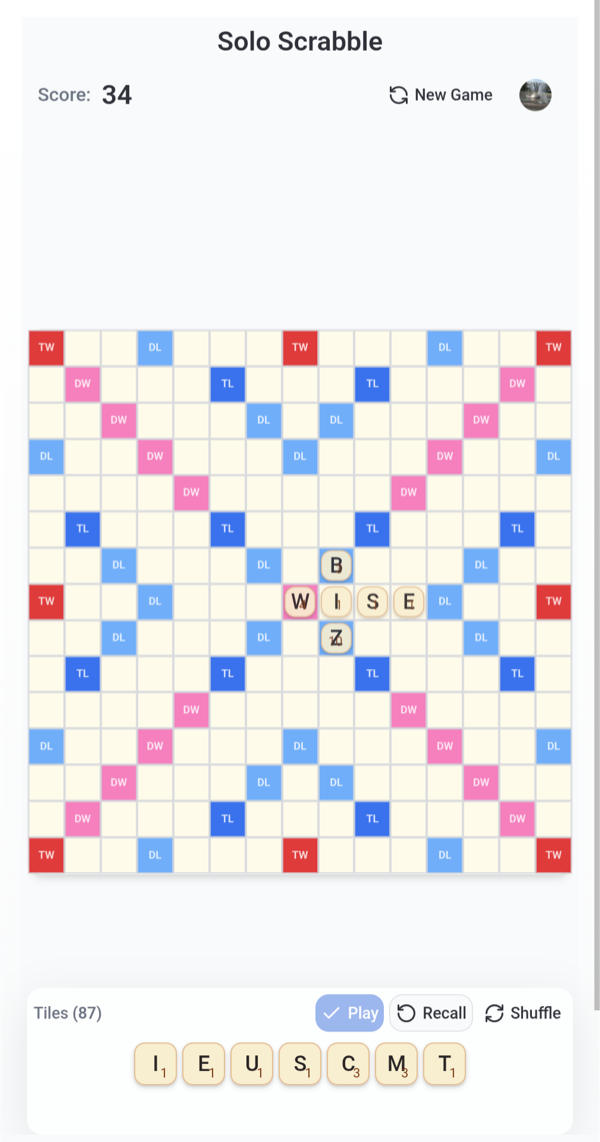
The Problem: Teaching kids about AI is abstract. You can explain that a model “thinks about words,” but that means nothing to a 7-year-old. I used a game my kids already love – Scrabble – to make AI tangible. They play against an AI opponent and watch it reason about words, seeing what it considers and why it picks a move.
How I Built It: I used Claude Code to build the game and Firebase for cloud state sync. The Firebase integration was key: kids switch between phone and tablet constantly, so the game state had to persist and sync across devices without friction. Claude Code handled the game logic and AI opponent behavior, while Firebase provided the real-time backend.
The Product Decisions: The most important decision was choosing a domain the audience already understands. Scrabble is a word game my kids already play – so the AI’s behavior (picking words, scoring moves) is immediately legible. They don’t need to learn a new game and understand AI at the same time. Cross-device sync was a must-have, not a nice-to-have, because the way kids actually use devices (start on a phone in the car, switch to a tablet at home) meant a single-device app would break the experience.
Result: A playable solo Scrabble game with an AI opponent and persistent cross-device state. GitHub / Play it
Connect
Interested in collaborating? Reach out on LinkedIn.